
PREHISTORIC Chapters Guide: Every Lobby Night and How to Pick One
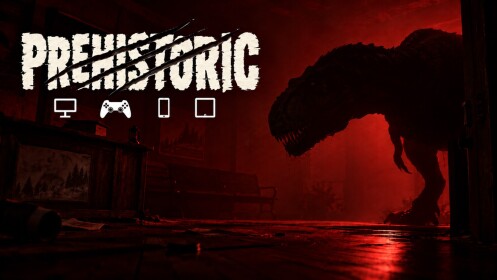
PREHISTORIC has two playable chapters: Chapter 1's three curfew nights and Chapter 2: The Lakehouse. Pick Chapter 1's nights from the lobby's NIGHT selector.
Quick answer
PREHISTORIC currently has two playable chapters: Chapter 1 in Fossil Creek, made up of three named nights (Night 1 to Night 3), and Chapter 2: The Lakehouse at Fossil Lake. Chapter 1's nights are picked in the lobby with the NIGHT selector before pressing START NIGHT.
- Chapter 1 nights: Night 1 - LIGHTS OUT, Night 2 - DON'T LOOK UP, Night 3 - DON'T MOVE.
- Each Chapter 1 night runs from 12:00 AM to 6:00 AM, and surviving to sunrise returns you to the lobby to pick the next one.
- Chapter 2: The Lakehouse is a separate chapter, not one of the NIGHT 1-3 entries on the lobby selector.
How to pick a night in the lobby
Night selection happens in the lobby, before a night starts. The official PREHISTORIC page lists Choose your night among its lobby options, alongside Difficulty and Friends Only, so choosing the night you play is part of setting up a session.
If you are hosting, the lobby screen shows the choice directly: a NIGHT selector (for example, NIGHT 1 - LIGHTS OUT) sits alongside DIFFICULTY, WEATHER, PLAYERS and TYPE (FRIENDS ONLY), with a START NIGHT button. Starting the night loads a chapter loading screen named for the selection — observed screens include PREHISTORIC NIGHT 1 - LIGHTS OUT, 12:00 AM - 6:00 AM and PREHISTORIC NIGHT 3 - DON'T MOVE. In other words, the NIGHT selector genuinely decides which night you play; it is not a cosmetic label on an identical round. These screens were observed in a two-player friends-only host lobby, so the exact option values you see may differ slightly in your own setup.
The NIGHT entry is the choice that decides which night loads. For what the other lobby options do, the PREHISTORIC lobby settings guide covers them in detail.
Chapter 1: the three curfew nights
Chapter 1 is set in Fossil Creek, where a mandatory curfew runs each night from 12:00 AM to 6:00 AM. The chapter is organized as three named nights, all reachable through the lobby's NIGHT selector:
Data table
- Night
- Night 1
- Name
- LIGHTS OUT
- What stands out
- The first night. Its emergency broadcast lays out the curfew basics, including keeping lights away from your windows.
- Night
- Night 2
- Name
- DON'T LOOK UP
- What stands out
- Its broadcasts announce a tall animal that looks into upstairs windows and listens through the ceiling.
- Night
- Night 3
- Name
- DON'T MOVE
- What stands out
- Its broadcast calls it the final night of the curfew, with every animal sighted during the week active tonight.
Chapter 1 night badges
Night 3's broadcast bills it as the final night of the curfew, so Chapter 1 runs Night 1 through Night 3 as a sequence rather than an endless list of identical rounds. The names are not just flavor, either: each night's emergency broadcast announces the rules and dangers for that night, which is what gives names like LIGHTS OUT and DON'T LOOK UP their meaning. If you want to experience the chapter in order, pick Night 1 in the lobby and work upward; if you are returning to a specific night, its full name on the selector tells you exactly which one you are about to load.
Chapter 2: The Lakehouse
Chapter 2 is a separate playable chapter set at Fossil Lake. It is live: the official game description advertises CHAPTER 2 here now!, a teaser cinematic names CHAPTER 2 THE LAKEHOUSE after a Meanwhile, at Fossil Lake... card showing a Spinosaurus, and Chapter 2's gameplay runs through a lakehouse night to the end of chapter two.
The distinction that matters for lobby planning is that Chapter 2 is not one of the NIGHT 1-3 entries on the night selector; it sits outside Chapter 1's three-night list. So if you scroll the NIGHT 1-3 entries looking for it, that is expected — it is a chapter of its own rather than a fourth night, and exactly how it appears in the current selector is not established.
After a night ends
Each of Chapter 1's nights runs from midnight to 6:00 AM, and surviving until 6:00 AM completes it: the game shows a SUNRISE - YOU MADE IT THROUGH NIGHT 1 screen with a RETURN TO LOBBY option. Finishing a night therefore loops you back to the lobby, where another night can be chosen and started. That makes the lobby the hub of Chapter 1's night-to-night loop — choose a night, survive to sunrise, return, and pick the next one.
If you are still learning how to make it to 6:00 AM in the first place, the PREHISTORIC beginner guide covers the basics, and the survival tips page collects ways to stay alive through the night.
Related Guides
Lobby Settings: Night, Difficulty & Weather
Set night, difficulty, weather and Friends Only before you start a run.
Beginner Guide: Survive Your First Night
Walk the full first night from lobby setup to sunrise with locks, boards, fuel and hiding.
Survival Tips for Every Night
Practical habits that keep your house intact and your noise down night after night.
Game Updates
Confirmed PREHISTORIC changes newest first, with dates and open questions.