
PREHISTORIC Wiki

Survive a night in a secluded house while dinosaur-like hunters follow sound and light. Secure the shelter, keep the generator running, and make it to dawn.

Game Updates
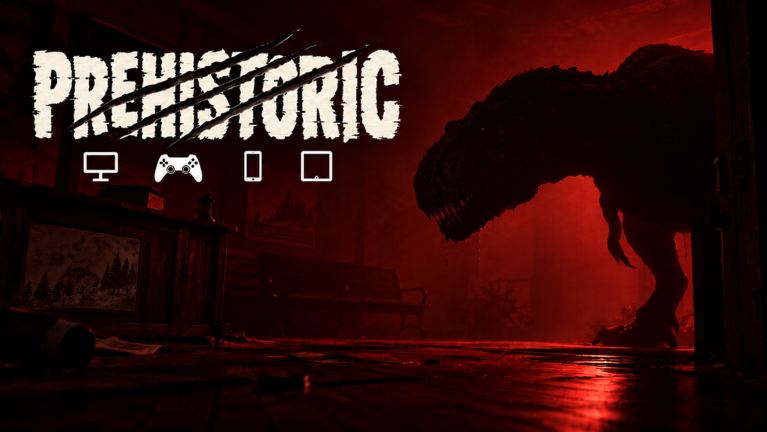
PREHISTORIC key art: a towering T-Rex silhouette looming in red fog inside a boarded-up 1986 living room.
Chapter 2 Available574K+ Visits20K+ FavoritesSound & Light TrackingLock & Board Defenses

The full lobby-to-sunrise route for Night 1 - LIGHTS OUT: locks, boards, fuel and silence.

  1. 1

    Set up the lobby

    Start the right night.

    • Pick NIGHT (1 - LIGHTS OUT)
    • Press START NIGHT
  2. 2

    Secure the house

    Raise SECURE before problems stack up.

    • Close and lock every door with Q
    • Board broken windows with planks
  3. 3

    Keep the power on

    Stop MAINS from switching OFF.

    • Watch the FUEL meter
    • Refuel the garage generator and pull the cord
  4. 4

    Reach sunrise

    Survive to 6:00 AM.

    • Keep the SOUND meter low
    • Hide silently through break-ins

Explore the Wiki

Start with the first-night walkthrough, then dig into the generator, gear and chapter guides, and check codes and the update timeline.

What Is PREHISTORIC?

Night forest scene from PREHISTORIC: a flashlight beam cutting through fog toward a tall creature's glowing eyes under a DONT LOOK UP warning.

PREHISTORIC [HORROR] is a multiplayer survival-horror experience on Roblox, set in Fossil Creek in 1986. After an emergency warning, a group of friends is stranded in a house beside the woods, and each run asks them to hold that shelter until 6:00 AM. Nights are organized as named chapters, so survivors return to the lobby to pick the next one.

Learn the Basics

Developer

Sahur Inc.

Platform

Roblox

Genre

Survival Horror

Setting

Fossil Creek, 1986

Main Location

House at the Woods’ Edge

Objective

Reach Sunrise

Lobby Options

Night, Difficulty, Friends Only

Max Players

30

Latest Guides

Power lost at 0% FUEL? One outside trip to the garage generator brings the lights back.

  1. Grab a GAS CAN from outside the house

    Cans sit on the lawn; you can carry two

  2. Use [E] REFUEL GENERATOR at the yellow garage unit

    The prompt shows FUEL 0% / OFF when the tank is dead

  3. Use [E] PULL THE CORD

    Starts the engine

  4. Wait for 'The generator is running.'

    MAINS flips back ON

Each predator hunts with a different sense — read the broadcast and react the right way.

Choose for your situation

A large sound-hunting animal is reported on the main road

Move slowly and never run inside your home; a lit flare may draw it away.

The tall animal is looking through your window

Stay away from the glass and do not move until it loses interest.

You hear the tall animal above you on the roof

Make no sound — it listens through the ceiling.

A break-in is reported at your address

Hide immediately in the pantry, a closet or under the stairs and stay silent until it has left.

When the HIDE! banner appears, reach a named spot, press E, and stay silent until the all-clear.

Step 1

Go to a named hide spot immediately

The HIDE! banner names the pantry, a closet or under the stairs; move quietly.

Step 2

Press E to hide

E is the Interact / Hide control.

Step 3

Stay hidden and silent

Remain hidden until 'The animals left your residence' appears, then secure broken windows.

Chapter 1's three named curfew nights and where Chapter 2: The Lakehouse fits.

Night
Night 1
Name
LIGHTS OUT
What stands out
The curfew basics: lights off the windows, doors locked.
Night
Night 2
Name
DON'T LOOK UP
What stands out
A tall animal peers into upstairs windows and listens through the ceiling.
Night
Night 3
Name
DON'T MOVE
What stands out
The final curfew night — every animal sighted this week is active.

The R$ 20 downed-screen revive, the Roblox Plus free nightly revive and the TEAM REVIVE shop item.

Revive Options Compared
OptionWhereCostWhat it gives you
Instant revive buttonYOU'RE DOWN overlayR$ 20Paid instant revive back into play
Free nightly reviveRoblox Plus benefitFree with membership1 free revive every night
TEAM REVIVEFOSSIL CREEK SECURITY shopR$ 29Revive item listed for sale

Buy the Shotgun, watch its 6 shells in the inventory bar, and take it out with H.

Step 1

Find the FOSSIL CREEK SECURITY shop panel

Bottom-right of the shop screen.

Step 2

Buy the Shotgun

'You have successfully bought Shotgun (6 shells)' confirms the purchase.

Step 3

Watch shells in the inventory bar

SHOTGUN sits there with its remaining shell count.

Step 4

Press H to take it out, click to use

Weapons are on G / H per the official controls.

One host lobby, one shared night: everyone in PLAYERS, then START NIGHT.

  1. 1

    Host the lobby

    One player opens a lobby named after them.

    • Host opens the lobby
  2. 2

    Friends get in

    Confirm the group is together.

    • Check the PLAYERS counter (2/2 in a duo)
  3. 3

    Set the options

    The host shapes the night.

    • Set NIGHT, DIFFICULTY, WEATHER
    • Set TYPE (e.g. FRIENDS ONLY)
  4. 4

    Press START NIGHT

    Everyone loads the same night.

    • Watch for the chapter loading screen

PREHISTORIC codes and rewards

Current PREHISTORIC code availability, rewards and source-check dates.

No codes are currently reported working.

Frequently Asked Questions

Quick answers to the questions players hit first in Fossil Creek.

Set the lobby to NIGHT 1 - LIGHTS OUT and press START NIGHT. Stay inside from 12:00 AM to 6:00 AM, keep lights away from windows, lock doors with Q, board broken windows with planks, and keep the garage generator fueled. When a break-in is announced, hide and stay silent until it leaves.Open the beginner guide

When FUEL reaches 0% and MAINS flips OFF, take a GAS CAN from outside the house, use [E] REFUEL GENERATOR on the yellow garage unit, then use [E] PULL THE CORD. Wait for 'The generator is running.' to confirm power is back.Open the generator guide

Go to a spot named by the HIDE! banner - the pantry, a closet or under the stairs - and press E to hide. Stay silent until 'The animals left your residence' appears, then come out and secure any broken windows.Open the hide guide

The YOU'RE DOWN screen shows a REVIVE - R$ 20 button that instantly returns you to play. Roblox Plus members are also advertised one free revive every night; the free revive's screen behavior is not shown, so treat the R$ 20 button as the confirmed on-screen route.Open the revive guide

Join one host's lobby and check the PLAYERS counter to confirm everyone is in. The host sets the NIGHT, DIFFICULTY, WEATHER and TYPE (for example FRIENDS ONLY), then presses START NIGHT so the whole lobby loads the same night.Open the co-op guide

No currently usable PREHISTORIC codes are listed at the last check. The codes page shows the current and expired datasets with status and check dates, and it will list any code that becomes usable.Open Codes

Ready for a Night in Fossil Creek?

Get familiar with the threat and the shelter before you step into the dark.