
PREHISTORIC Revive Guide: How to Revive When You're Downed
How to revive and get back into the night after being downed in PREHISTORIC: the YOU'RE DOWN screen, the R$ 20 instant revive, the Roblox Plus free nightly revive and the TEAM REVIVE shop listing.
Being downed in PREHISTORIC does not end your run on the spot: the downed screen carries its own revive button, and Roblox Plus members are advertised one free revive every night. Here is what each revive option covered in this guide is and what it actually gives you.
Quick answer
When you are downed during a night in PREHISTORIC, your screen switches to a YOU'RE DOWN overlay where you spectate another player. The REVIVE - R$ 20 button on that screen is a paid instant revive that puts you back into play immediately. Separately, the game's official Roblox page advertises a Roblox Plus benefit of 1 free revive every night.
- Downed during a night: the screen shows YOU'RE DOWN and a spectate message while you wait.
- REVIVE - R$ 20: the button on the downed screen — a paid instant revive back into play.
- Roblox Plus: 1 free revive every night, as listed on the game's official experience page.
- FOSSIL CREEK SECURITY shop: also lists a TEAM REVIVE item for R$29.
What happens when you go down
When an enemy downs you during a night, PREHISTORIC switches your screen to a YOU'RE DOWN overlay. The overlay includes a spectate message telling you which player you are watching while you are out of action. In recorded gameplay, this happened on Night 2 when the tall animal smashed through the ceiling and downed the player: the screen showed YOU'RE DOWN together with Spectating pyroad, naming the player being watched.
The actionable part sits on the same screen: a REVIVE - R$ 20 button. That button is a paid instant revive — buying it brings you back into play immediately instead of leaving you in the downed, spectating state. R$ is Robux, and 20 is the price displayed on the button in that gameplay.
The Roblox Plus free nightly revive
On the game's official Roblox experience page, the advertised Roblox Plus benefits include 1 free revive every night. With an active Roblox Plus membership, PREHISTORIC advertises a no-cost revive for each night — one free revival per night is the stated allotment.
The official page states the allotment but does not describe how the free revive is applied in the revive interface — it does not say whether the free revive shows up as its own option on the YOU'RE DOWN screen. As a concrete reference point, the downed screen captured in gameplay displayed only the paid REVIVE - R$ 20 button, with no separate free option visible in that state. Treat the R$ 20 button as the confirmed route on the downed screen, and the free nightly revive as the advertised membership benefit that covers one revival per night.
TEAM REVIVE in the FOSSIL CREEK SECURITY shop
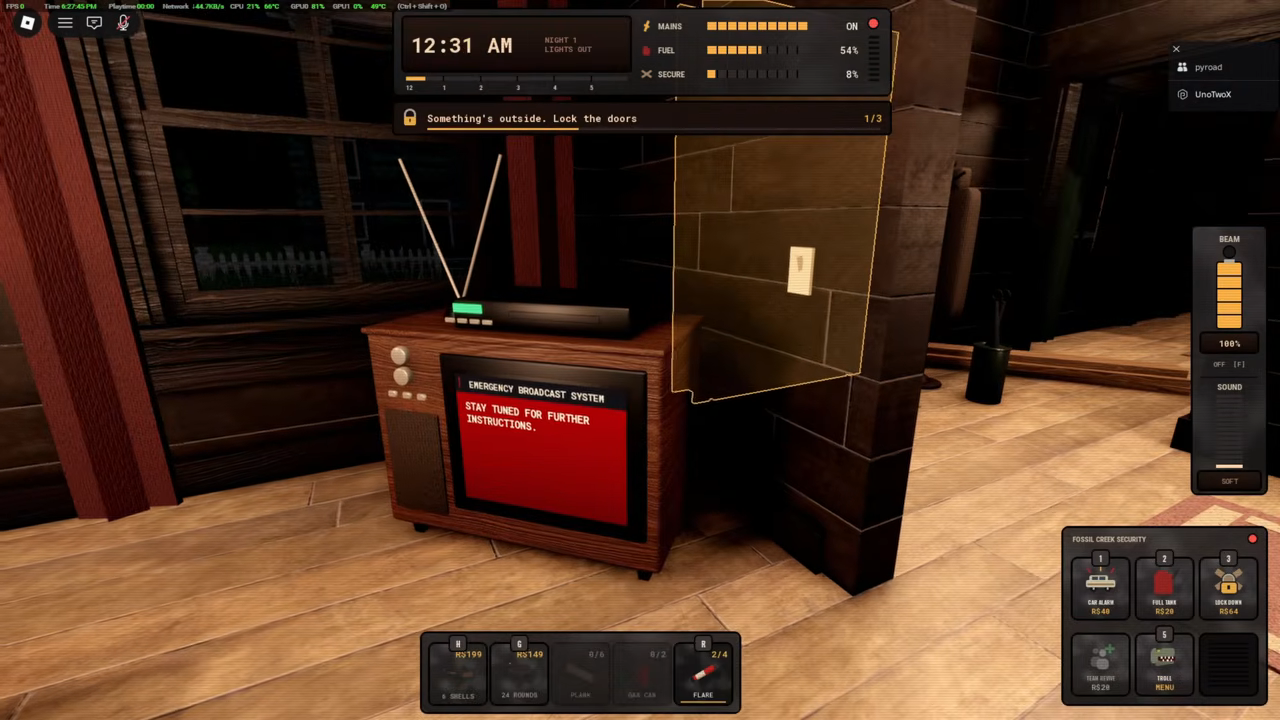
A third revive-related option exists away from the downed overlay: the in-game shop panel labelled FOSSIL CREEK SECURITY lists TEAM REVIVE for R$29. It appears in the same panel as the shop's other purchases — CAR ALARM R$40, FUEL TANK R$29, LOCK DOWN R$64 and the TABLE MENU — with those prices as displayed during Night 1 gameplay.
The listing is confirmed, but using TEAM REVIVE has not been demonstrated, so treat it as a known shop item rather than a tested revive step. It is the revive-related entry to know about in the security shop if you are playing with friends; the downed-screen revive remains the route you can recognize and use in the moment.
Revive options at a glance
For a quick lookup, the three revive-related options covered in this guide and what each one actually gives you:
Comparison
| Option | Where it appears | Cost | What it gives you |
|---|---|---|---|
| Instant revive button | The YOU'RE DOWN overlay while downed | R$ 20 (Robux, as displayed) | Paid instant revive back into play |
| Free nightly revive | Roblox Plus benefits on the game's official Roblox page | Free with Roblox Plus membership | 1 free revive every night |
| TEAM REVIVE | FOSSIL CREEK SECURITY shop panel | R$ 29 | Revive item listed for sale; use not demonstrated |
Related PREHISTORIC guides
- PREHISTORIC beginner guide — the basics of surviving your first nights.
- PREHISTORIC survival tips — staying alive so you need fewer revives.
- PREHISTORIC how to play with friends — team nights, where spectating and the TEAM REVIVE listing become relevant.
Related Guides
How to Play With Friends
Fill a private lobby, invite friends and run a co-op night together.
Survival Tips for Every Night
Practical habits that keep your house intact and your noise down night after night.
Beginner Guide: Survive Your First Night
Walk the full first night from lobby setup to sunrise with locks, boards, fuel and hiding.