
PREHISTORIC: How to Play With Friends (Lobby and Friends Only Explained)
How to get into the same PREHISTORIC night as your friends: share one host lobby, set the night, press START NIGHT — plus the Friends Only lobby option.
Quick answer
You get into the same PREHISTORIC night by getting everyone into one host's lobby. The lobby screen shows the NIGHT, DIFFICULTY, WEATHER, PLAYERS and TYPE options, and when the host presses START NIGHT, everyone in that lobby loads the selected night together. FRIENDS ONLY is the lobby's TYPE setting, shown on the host lobby screen.
- One lobby, one night: the night picked on the host lobby screen is the night that gets played.
- Check the PLAYERS counter (shown as 2/2 in a two-player lobby) to confirm your friends are in before starting.
- Friends Only is one of the three lobby options the game's official page advertises, alongside Choose your night and Difficulty.
Getting everyone into the same night
PREHISTORIC is built to be played as a group — its whole premise is you and your friends surviving one night together — and its multiplayer runs through a host lobby. Whoever hosts gets a lobby named after them, and everyone in that lobby plays the same night when it starts. The flow on the game's own screens looks like this:
- One player hosts the lobby. The lobby screen carries the host's name — the verified gameplay session shows it as "UNOTWOX'S LOBBY" for the hosting player.
- Everyone else gets into that lobby. The PLAYERS counter on the lobby screen shows how many slots are filled; the two-player session displayed 2/2. This is where you confirm your friends are actually in before the night begins.
- The host sets the options — the night, the difficulty, the weather and the lobby type, all shown on the same screen (details below).
- The host presses START NIGHT. The game opens a chapter loading screen — for example "PREHISTORIC NIGHT 1 - LIGHTS OUT, 12:00 AM - 6:00 AM" — and that chosen night begins for the whole lobby.
Night selection is real, not cosmetic: the night picked in the lobby is the night that gets played. Nights carry their own titles — the same footage shows "PREHISTORIC NIGHT 3 - DON'T MOVE" — and the game keeps growing, with Chapter 2 already live. If your group wants to know what a specific night throws at you, the PREHISTORIC chapters guide covers the details.
The join step itself happens through Roblox, outside the game's lobby screen — PREHISTORIC's own screens don't show it. What its lobby adds is the shared room: once everyone is counted in PLAYERS and the host starts the night, everyone in that lobby loads the selected night together.
The host lobby screen, option by option
Everything the host needs sits on one screen, so a quick scan tells you what kind of night you are about to share:
| Option | Example value | What it tells you |
|---|---|---|
| NIGHT | 1 - LIGHTS OUT | Which night the lobby plays when START NIGHT is pressed. |
| DIFFICULTY | NORMAL | The lobby's difficulty setting, chosen before the night starts. |
| WEATHER | CLEAR | The lobby's weather setting, picked alongside the other options. |
| PLAYERS | 2/2 | How many player slots in the lobby are filled — your confirmation that friends are in. |
| TYPE | FRIENDS ONLY | The lobby's type setting, shown as FRIENDS ONLY on the host lobby screen. |
The Friends Only lobby option
Friends Only is not a hidden toggle — it is one of the three lobby options PREHISTORIC's official Roblox page advertises: "Choose your night, Difficulty, and Friends Only." On the host lobby screen it appears as the TYPE value, shown as FRIENDS ONLY, on the same screen as the NIGHT, DIFFICULTY, WEATHER and PLAYERS options.
The host sets it from that same screen, alongside the night, difficulty and weather, before pressing START NIGHT.
What you and your friends are in for
Knowing why everyone piles into one lobby makes the rest of the setup make sense. PREHISTORIC casts you and your friends as people holed up in a house on the edge of the woods with no way out until morning. Lock every door. Board every window. Keep the generator running. Whatever is out there hunts by sound and by light, and it hunts in packs — when the creatures get inside, hide and stay quiet, and make it to sunrise.
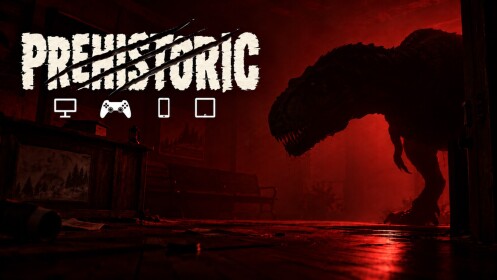
Doors, windows, the generator and hiding all have to hold at once while the night runs toward that 6:00 AM loading-screen mark, which is exactly why the game is framed around a group sharing one house and one night. A few pages that help your group survive it:
- PREHISTORIC beginner guide — if this is your group's first night.
- PREHISTORIC how to hide — what to do when something gets inside.
- PREHISTORIC revive guide — reviving in PREHISTORIC.
- PREHISTORIC survival tips — broader habits for making it to sunrise.
- PREHISTORIC lobby settings guide — a fuller look at the lobby screen and its settings.
Get everyone under one lobby name, let the host set the night and TYPE, and press START NIGHT — from there, you are all surviving the same house until morning.
Related Guides
Lobby Settings: Night, Difficulty & Weather
Set night, difficulty, weather and Friends Only before you start a run.
Every Lobby Night and How to Pick One
Compare every lobby night option and choose which run to start next.
How to Revive When Downed
Use the free nightly revive and teammates to get back up after a down.
Beginner Guide: Survive Your First Night
Walk the full first night from lobby setup to sunrise with locks, boards, fuel and hiding.